Some merchants may call in regarding discrepancies with their bank account. They may think they are missing some amounts that's been deposited on their bank account.
Create a ticket and check the merchant's account carefully. Make sure that the merchant's bank and account number match with what they are claiming the amount was deposited to.
Consider the following when meticulously looking at the merchant's account:
- What day was the transaction?
- What amount?
- Customer's information
In locating missing deposits and finding out why there's a discrepancy on the merchant's account, it is very likely that it is due to the surcharge fee (daily discount) of 3.5%. Follow steps below:
- Login to on merchant's MX Connect, search for the merchant's DBA and add yourself as a user.
- Go to MX Merchant online account and choose the correct DBA you added yourself into.
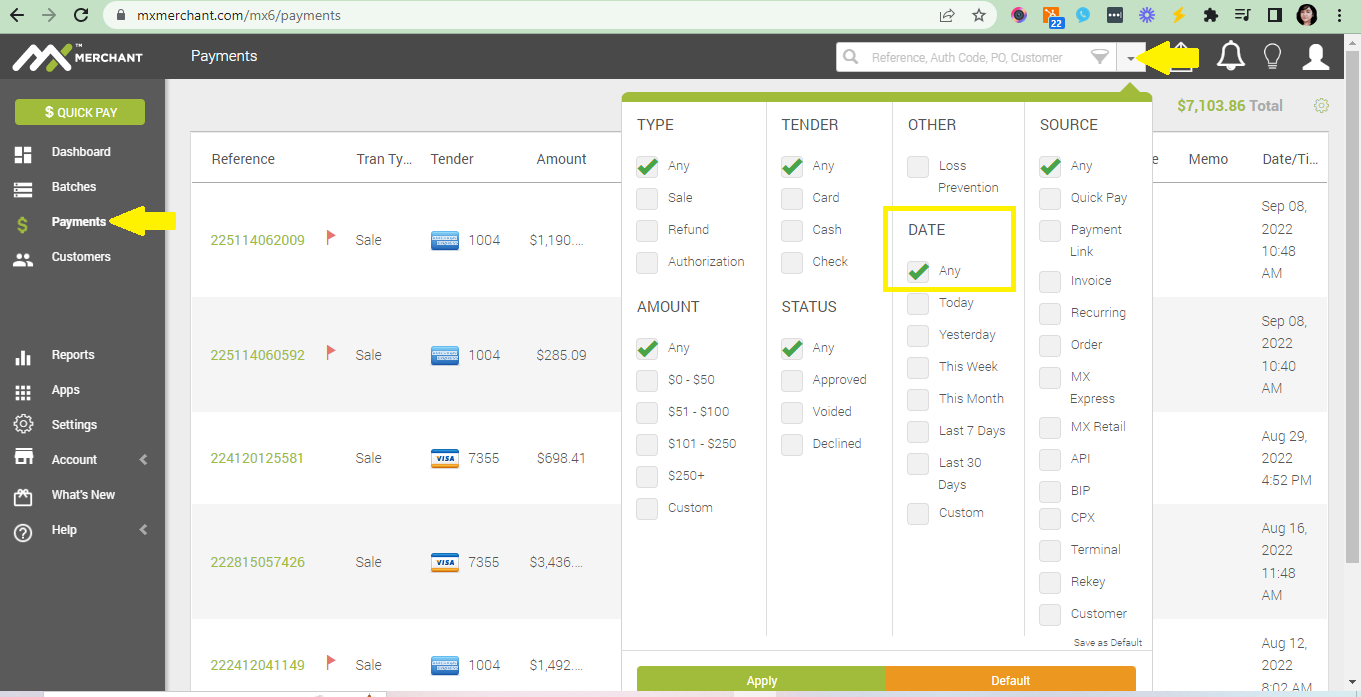
- On the left hand side, go to Payments tab and make sure to change the Date to Any so you'd be able to see all the transactions made on the account. Hit Apply.
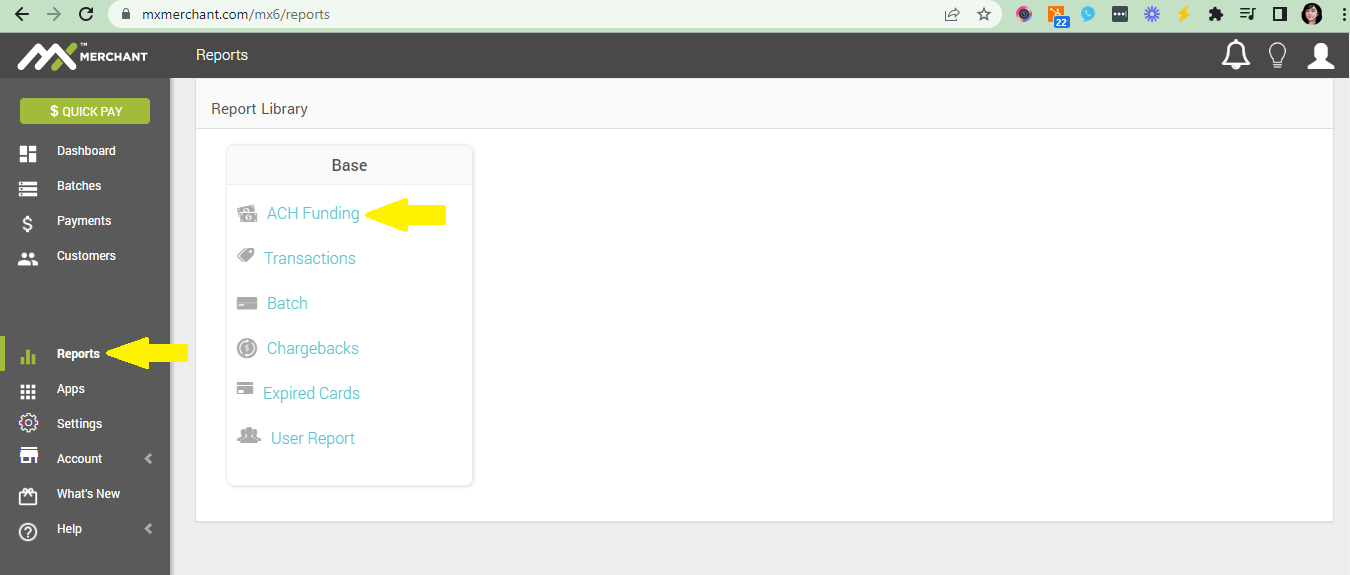
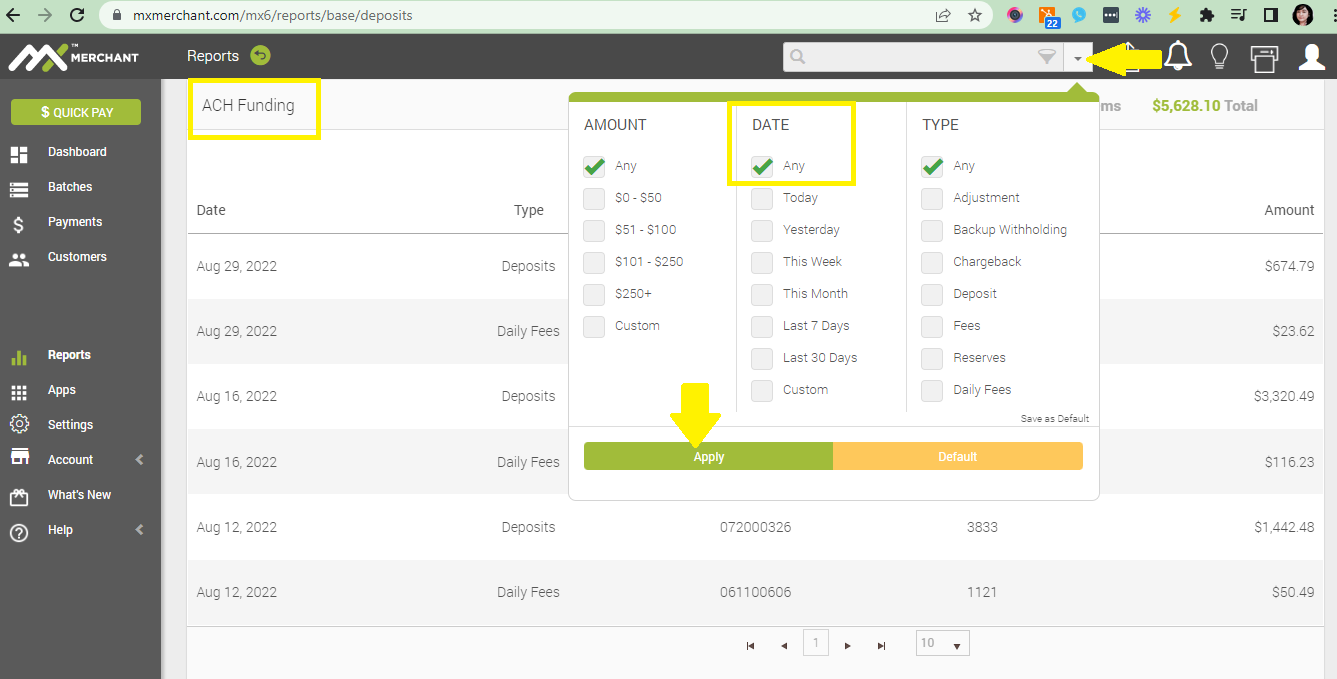
- At the same time, make sure to open a new tab for ACH Funding that's under Reports. This way, you'd be able to cross-reference the transaction dates, transaction amount, deposit amounts and the date they were deposited to the merchant's account.
Also make sure to change the Date to Any so you'd be able to see all the transactions made on the account and then hit Apply.
NOTIFICATIONS
To avoid any worry about how long it will take for a payment to post, help the merchant to get notified via email or text by setting it up on their merchant account. Follow the simple steps here.
💡 REMEMBER!
Funding Timelines:
ACH Funding- is batches that have actually been deposited in the Merchant’s Account
Credit Cards- transactions are funded in 2 business days
ACH-Transactions are funded in 3 to 5 business days