Statements can be mailed or provided through MX Merchant.
Steps applicable for the following:
TSYS | PRIORITY PAYMENT SYSTEMS (PPS)
SOP: CREATE A TICKET
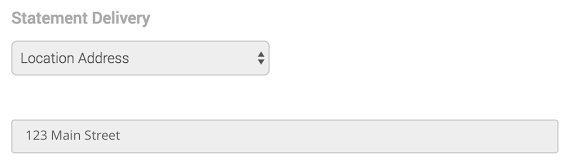
- Online - Paperless Statements will be displayed here.
- Mailed - If you receive a physical copy of your statement in the mail every month, you will see Location Address is selected and the Address from the Business Information section is displayed again.
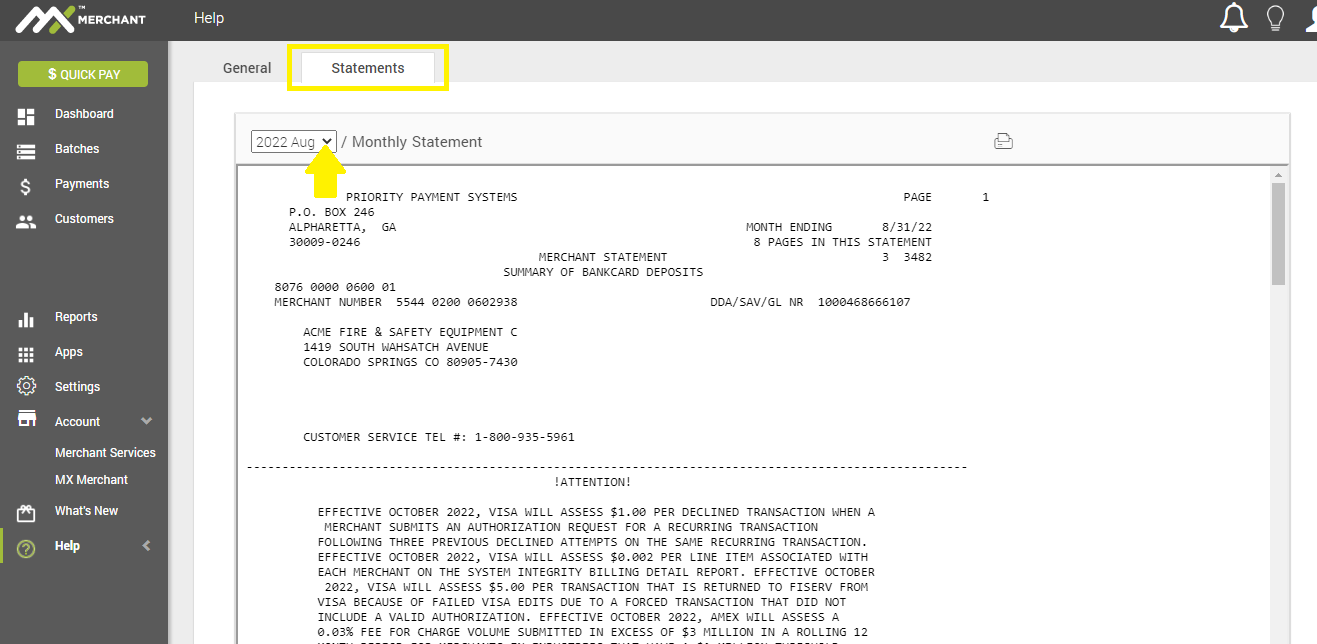
PDF versions of the monthly statements are available through the statement link. Past statements are available by selecting the drop down at the top of the screen.
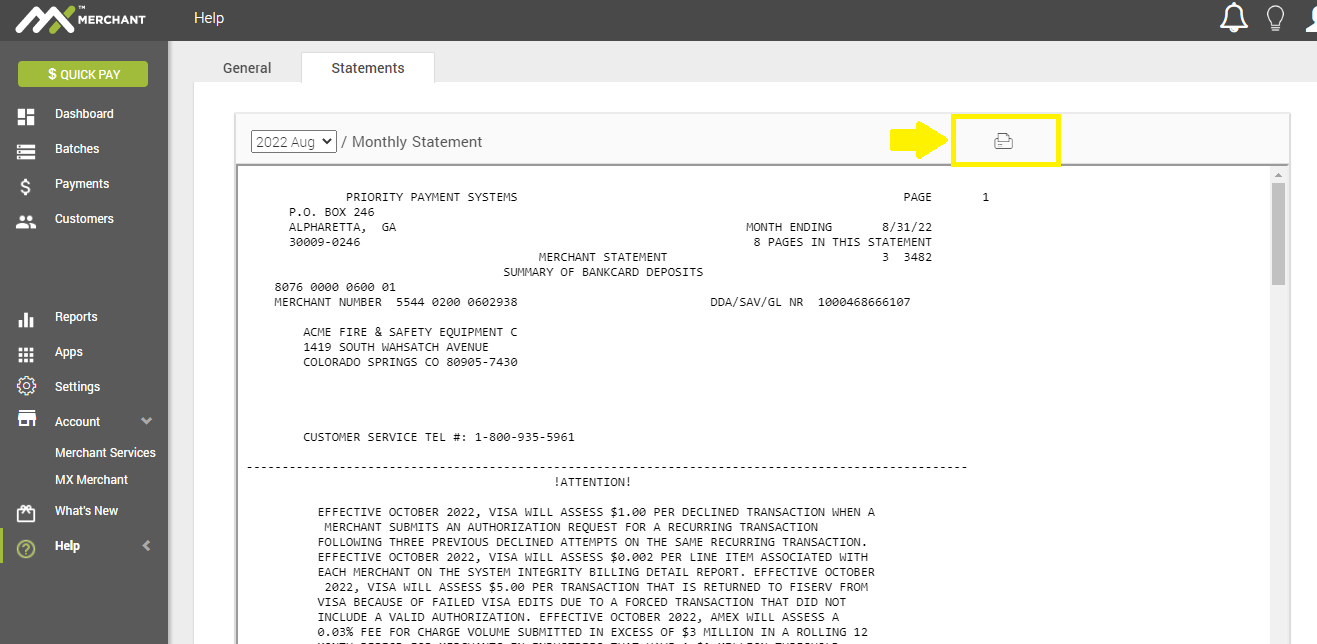
A print button is also available to the right of the screen.

To locate it on MX Merchant online account, follow these steps:
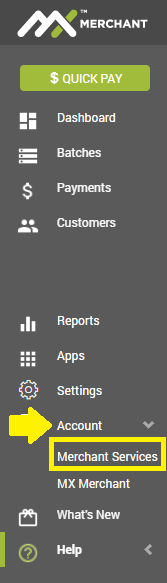
- Go to Account in the left vertical menu. Click on Merchant services
- Choose the Statements tab. Click on the dropdown to choose month for statement.
- To export/save the statement, click on the printer icon at the top and save to PDF.
 NOTE: Monthly statements are usually available in the fist week of the month.